Net Protector Antivirus Comparison
Let’s take a look at the difference between various NPAV or Net Protector products which are from their official website
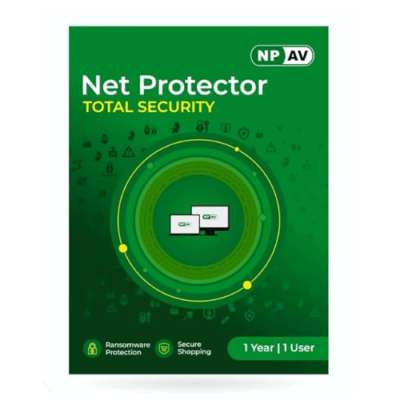
Net Protector Total Security 1 User 1 Year
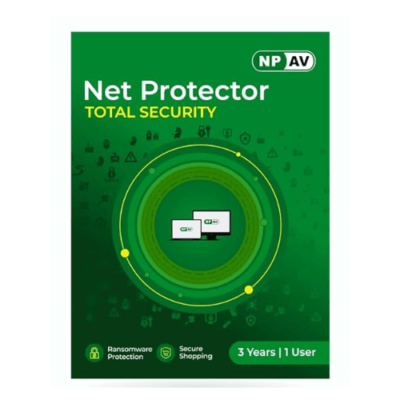
Net Protector Total Security 1 User 3 Years
| Protection | Antivirus Protection | Internet Security | Total Security | Total Security Premium | Z-Security |
| Antivirus & Anti-Malware: Multilayered protection against all types of viruses | ✓ | ✓ | ✓ | ✓ | ✓ |
| Application Control: Scans malicious Applications | ✓ | ✓ | ✓ | ✓ | ✓ |
| Cloud Protection: Cloud Technology to Secure the System | ✓ | ✓ | ✓ | ✓ | ✓ |
| Data Protection: Removable Drive Copy Policy | ✓ | ✓ | ✓ | ✓ | ✓ |
| Online Protection: Shield protects infection from all sources | ✓ | ✓ | ✓ | ✓ | ✓ |
| OS Protection: Protects Operating System Files | ✓ | ✓ | ✓ | ✓ | ✓ |
| ZV-Fort Protection: Prevents Spreading of unknown Threats | ✓ | ✓ | ✓ | ✓ | ✓ |
| Email Protection: Scans incoming POP3 mails, attachments | ✓ | ✓ | ✓ | ✓ | |
| LAN Updates: Save Internet Bandwidth, Share updates | ✓ | ✓ | ✓ | ✓ | |
| Advertise Blocker: Stop annoying Pop-Up in Browsers | ✓ | ✓ | ✓ | ||
| Data Backup: Automatic backup of Important Documents | ✓ | ✓ | ✓ | ||
| LAN Protection: Monitors threat attacks over network | ✓ | ✓ | ✓ | ||
| Share Protection: Protects Shared Folders | ✓ | ✓ | ✓ | ||
| IDS: Protect your system from any Malicious Network Activities | ✓ | ✓ | ✓ | ||
| Safe Application Mode: Use this feature to block new unknown and unwanted apps | ✓ | ✓ | ✓ | ||
| Priority Updates: Fast Updates for Solutions | ✓ | ✓ | |||
| Anti-Ransomware Shield: Protects from Ransomware | ✓ | ✓ | |||
| Data Leak Prevention: Protects confidential Documents/Data against Theft/Leakage | ✓ | ||||
| Device Control: Protects confidential data by locking Removable Drives/Smartphones | ✓ | ||||
| Accounting Software Backup (Tally) 10 GB Cloud Backup | ✓ | ||||
| Web Security | Antivirus Protection | Internet Security | Total Security | Total Security Premium | Z-Security |
| Anti-Phishing: Blocks fraud Banking Links / pages | ✓ | ✓ | ✓ | ✓ | |
| Email Scanner: Scans emails in Outlook | ✓ | ✓ | ✓ | ✓ | |
| Firewall: Blocks Inbound / Outbound Connections | ✓ | ✓ | ✓ | ✓ | |
| Fix Spyware Alerts: Identifies new Spyware | ✓ | ✓ | ✓ | ✓ | |
| Intrusion Detection: Identifies new and suspicious file | ✓ | ✓ | ✓ | ✓ | |
| Parental Control: Ensure appropriate and safe usage of Internet, applications and devices for your child through NPAV’s Parental Control. | ✓ | ✓ | ✓ | ✓ | |
| Secure Search: Scans Search Engine Results | ✓ | ✓ | ✓ | ✓ | |
| Website Blocker: Add web-sites to Block List | ✓ | ✓ | ✓ | ✓ | |
| Web Shield: Scans Web Pages for Viruses | ✓ | ✓ | ✓ | ✓ | |
| Email Backup: Backup of offline mail clients | ✓ | ✓ | ✓ | ||
| Secure Shopping: It helps user to shopping and banking securely | ✓ | ✓ | ✓ | ||
| Virtual Keyboard: Useful against key loggers | ✓ | ||||
| Web Control : Allow or Block websites based on Time & Category remotely from webconsole Block https secure sites | ✓ | ||||
| System Tunner | Antivirus Protection | Internet Security | Total Security | Total Security Premium | Z-Security |
| Block Windows Games: Disables Standard Windows Games | ✓ | ✓ | ✓ | ✓ | |
| OS Doctor: Repairs OS Files | ✓ | ✓ | ✓ | ✓ | |
| Process Spy: Identifies new / unwanted applications | ✓ | ✓ | ✓ | ✓ | |
| Registry Backup: Takes automatic system snapshot | ✓ | ✓ | ✓ | ✓ | |
| Self Defense: Protects Net Protector Files | ✓ | ✓ | ✓ | ✓ | |
| Clean SysVol: Frees up Disk Space | ✓ | ✓ | ✓ | ||
| Data Encrypt: Protect your confidential Files | ✓ | ✓ | ✓ | ||
| Delete Temp. Files: Free Space, Improves Speed | ✓ | ✓ | ✓ | ||
| Optimize: Tunes System for Fast Performance | ✓ | ✓ | ✓ | ||
| Privacy Control: Cleans up Traces & History | ✓ | ✓ | ✓ | ||
| User Backup: Add any important file for Auto Backup | ✓ | ✓ | ✓ | ||
| Vulnerability Scan: Checks / installs Critical OS Patches, Fixes | ✓ | ✓ | ✓ | ||
| Junk Cleaner: It clear all data from your computer | ✓ | ✓ | ✓ | ||
| Disk Checker: Scans Drives for bad sectors/errors on the disk | ✓ | ✓ | |||
| Performance Monitor: Advanced task manager to View/Kill running applications | ✓ | ✓ | |||
| Premium Support: Get the support on priority from higher level team | ✓ | ✓ | |||
| Drive Backup: Useful to take Backup/Restore of all drives | ✓ | ||||
| Startup Manager: View/Manage startup entries and services | ✓ | ||||
| Unhide Folder: Useful to unhide folders | ✓ | ||||
| Privacy | Antivirus Protection | Internet Security | Total Security | Total Security Premium | Z-Security |
| Privacy Control: Cleans up Traces & History | ✓ | ✓ | ✓ | ||
| Webcam Protection: Prevents applications and malware from accessing your webcam | ✓ | ✓ | ✓ | ||
| Data Encrypt: Protect your confidential files | ✓ | ✓ | ✓ | ||
| Two Factor Authentication: Secure your sensitive data from unauthorized access with NPAV’s Two factor Authentication. | ✓ | ✓ | ✓ | ||
| Web Tracking Protection: Anti-tracker Keeps You Away from Private Data Collection and Targeted Advertisement. | ✓ | ✓ | ✓ | ||
| File Shredder: Application to shred and permanently delete unwanted files | ✓ | ✓ | |||
| File Locker: Prevent unauthorized access, Keep data safe and secure files | ✓ | ✓ | |||
| Microphone Protection: Detect and Prevents Applications, Web Browser, Malwares | ✓ | ✓ | |||
| NP Fast Search: Search document and locate a file on local disks easily and instantly. | ✓ | ✓ | |||
| Screen Lock Protection:Protection against malware that block user access to the computer | ✓ | ✓ |
Source of the comparison table here: https://npav.net/editions/
-
 Product on saleNet Protector Total Security 1 User 3 Years NPAV-PuneOriginal price was: Rs 1,400.00.Rs 900.00Current price is: Rs 900.00. inc. GST
 -
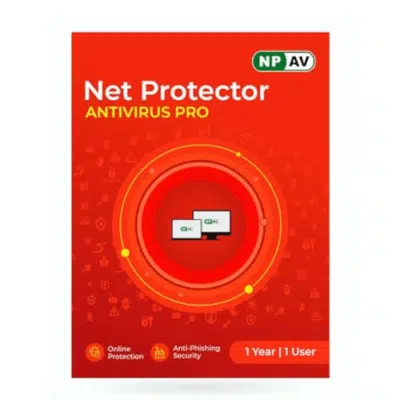
Product on saleNet Protector Antivirus Pro 1 User 1 Year NPAV – PuneOriginal price was: Rs 900.00.Rs 300.00Current price is: Rs 300.00. inc. GST
-
Product on saleNet Protector Total Security 1 User 1 Year NPAV-PuneOriginal price was: Rs 1,250.00.Rs 400.00Current price is: Rs 400.00. inc. GST